Vadlo
Vadlo A tree, a list or a fan
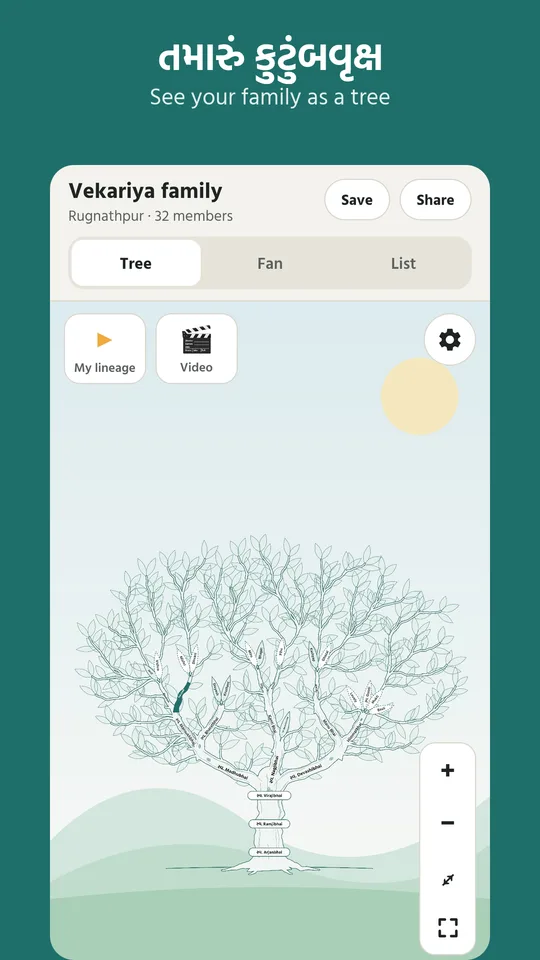
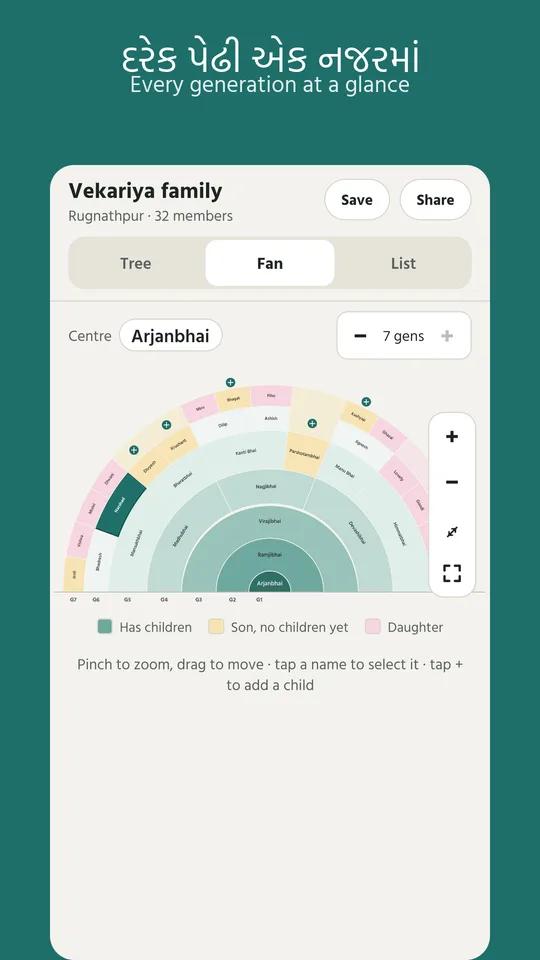
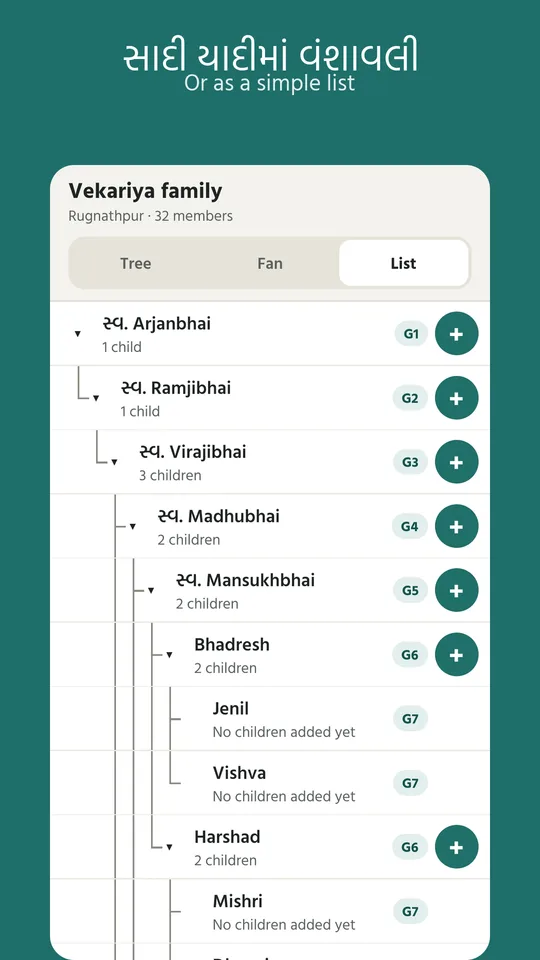
See your family as a tree, a plain searchable list, or a round fan chart that shows every generation at a glance. Pinch and drag to zoom into any branch.
Vadlo (વડલો) keeps the family tree that elders remember and old notebooks hold, safe in one place that every relative can see. Like the banyan it is named after, it grows one generation, one name at a time.
For Android phones. Sign in with your Google account or with a code sent to your email.
Children are linked through their father, the way a vanshavali is written. Everything can be read and written in Gujarati or English.
See your family as a tree, a plain searchable list, or a round fan chart that shows every generation at a glance. Pinch and drag to zoom into any branch.
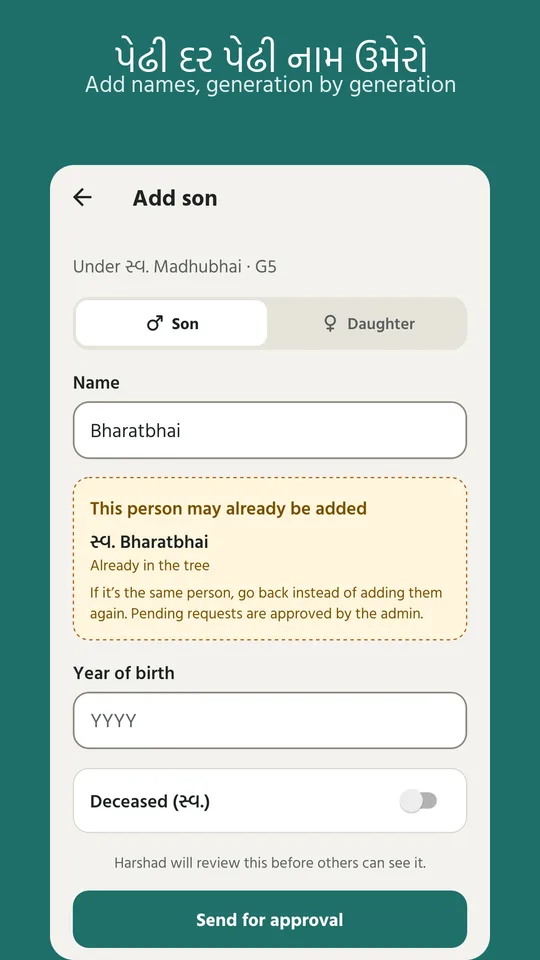
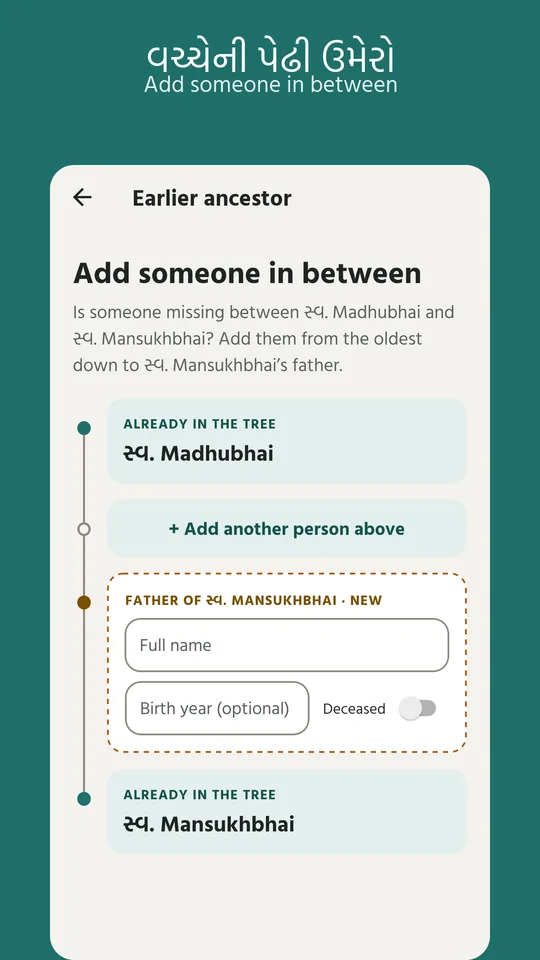
Add a son, brother, father or a whole line of ancestors in either script. Names of those who have passed away carry the traditional “સ્વ.” prefix.
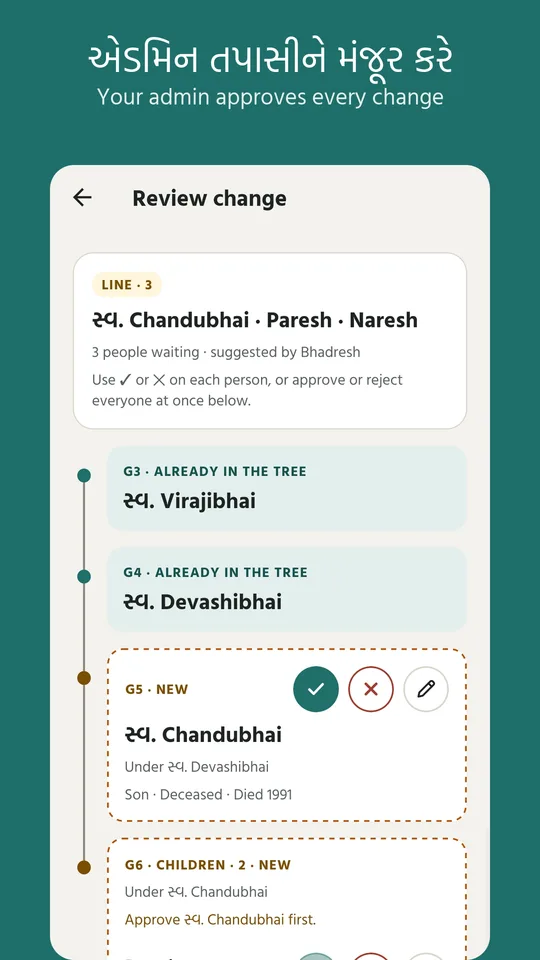
Each family has an admin, usually a trusted elder. New names and edits wait, clearly marked, until the admin approves them, so mistakes don't pile up.
Send the tree or the fan chart as a picture, or print it for a family function. Invite relatives with a link so they land straight in your family.
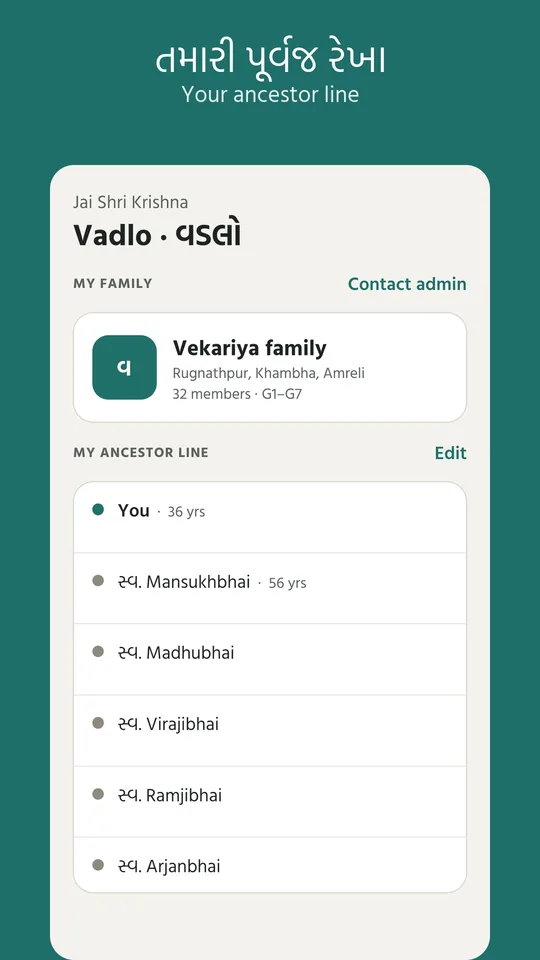
Watch your own line light up, branch by branch, from you back to your oldest known ancestor. Record it as a short video and send it to the family.
Only your family can see your tree. Admins can choose to let people from the same village look, but they can never change anything.
If your family isn't on Vadlo yet, you can register it in the app and become its admin.
With your Google account, or with a code sent to your email.
Choose your village and your family's surname from the list of places across India.
Find yourself in the tree, or ask your admin to add you.
Add the relatives you remember. Your admin reviews them and the tree grows.
Real screens from the app, shown with a sample family.
A family tree is personal. Vadlo shows it only to the people it belongs to, and nobody else gets a look in.
Can't find your answer? Write to phoenixcoded@gmail.com.
Yes. Vadlo is free to use and has no advertising.
Only members of your family. A family admin can choose “Share with my village”, which lets people from the same village view the tree but never change it. If that switch is off, nobody outside the family can see it.
Vadlo follows the vanshavali tradition, where the line runs through the father. Daughters appear in the tree too, and can link to the family they married into.
Any member can add or suggest a change, but it stays marked as pending until the family admin approves it. The admin's own changes apply at once. The admin can hand the role over to another family member, who must accept it.
Register it in the app: choose your village and surname and you become its admin. You can also suggest a missing village, or a correction to a taluka or district.
Open Settings in the app and choose “Delete my account”. If you can't open the app, follow the steps on the delete account page.
Vadlo is available for Android phones from Google Play.